In 2026, still handing over your whole course the day someone buys?
27 August 2026 · 8 min read

You spent six weeks recording it. You uploaded every lesson into a folder, sent the link, and felt that specific kind of relief that comes from finally shipping something.
Then you looked at the folder analytics a month later. Most people opened it once. A few watched the first two lessons. Almost nobody reached the end. Nobody asked for a refund either, which somehow feels worse, because it means they did not think it was bad. They just never got round to it.
Why handing over everything at once kills completion

Think about what you actually handed someone. Eight weeks of material, all of it available at once, with no order imposed on it and nothing scheduled. That is not a course. That is a library, and a library competes with every other tab on their laptop.
It also quietly puts the whole burden on them. They have to decide when to start, how much to do, and whether to come back tomorrow. Most people are not short of motivation on day one. They are short of it on day nine, and day nine is where a folder has nothing to offer.
I know the objection, because I would make it too. Holding content back feels mean. You already took their money, why make them wait? Except nobody experiences it as waiting when it has a date on it. They experience it the way they experience a series that puts out an episode a week, which is the format that has kept people coming back since long before any of us were selling courses.
How drip release works
Every module gets its own rule. Open immediately. Open a set number of days after this person enrolled, which matters because everybody starts on a different day. Or open on a fixed date, which is what you want for a cohort where everyone moves together.
There is a fourth option that has nothing to do with the calendar: lock a module until the previous one is finished. That paces by effort instead of by time, and it suits a course where week two genuinely does not make sense until week one is done.
How to set up a drip-released course on Creatly, step by step
Step 1: Choose eCourse, not a file
Products, then New. A course is its own product type, which is what gives you modules, a player, progress tracking and the certificate. A zip of videos sold as a digital file gets none of that.
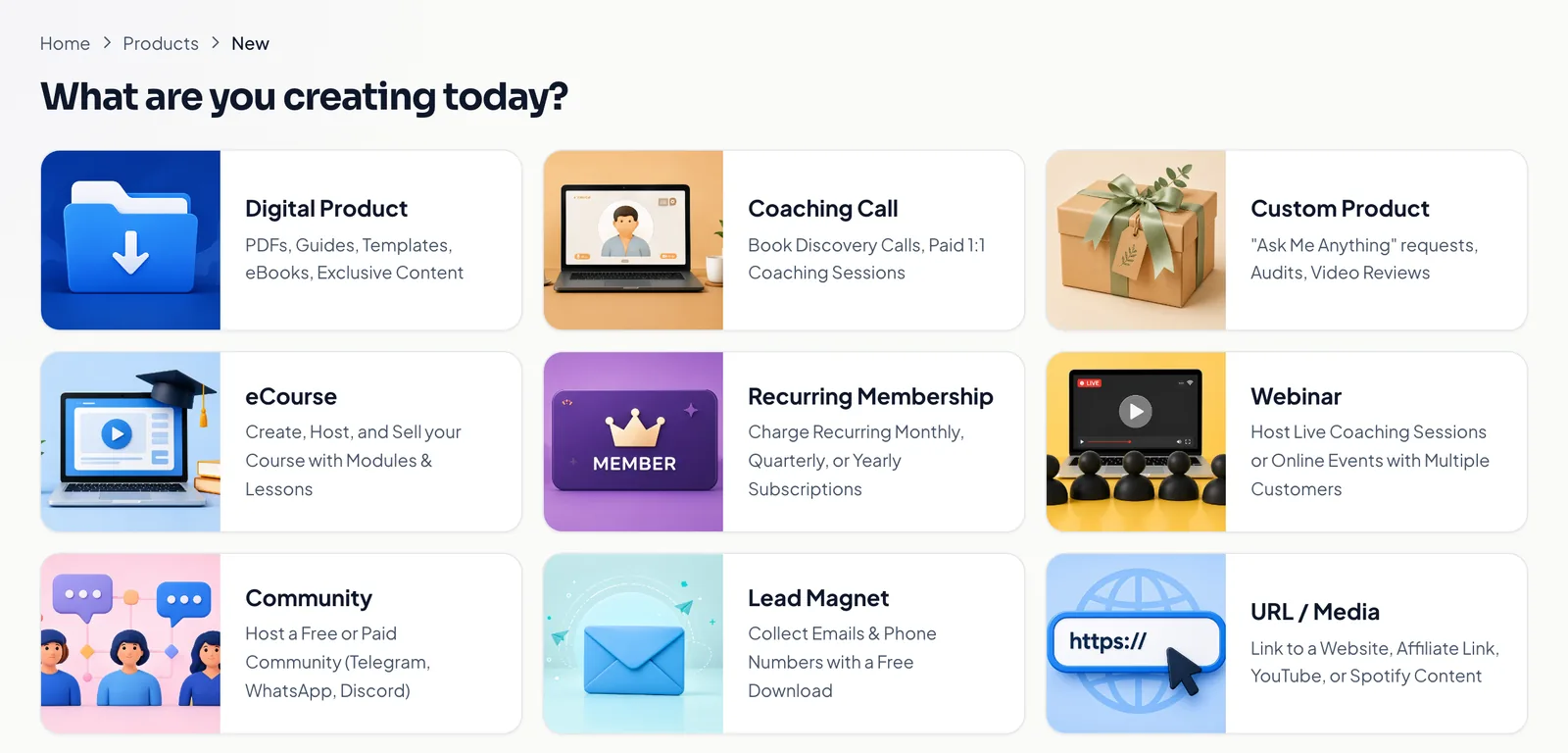
Step 2: Build the modules, and set the release rule on each one
A module is a week. Inside it go the lessons, and each lesson can be a video, a PDF, a block of text or a quiz. The release row sits on the module itself, so week one can open immediately while week two opens seven days after enrolment.
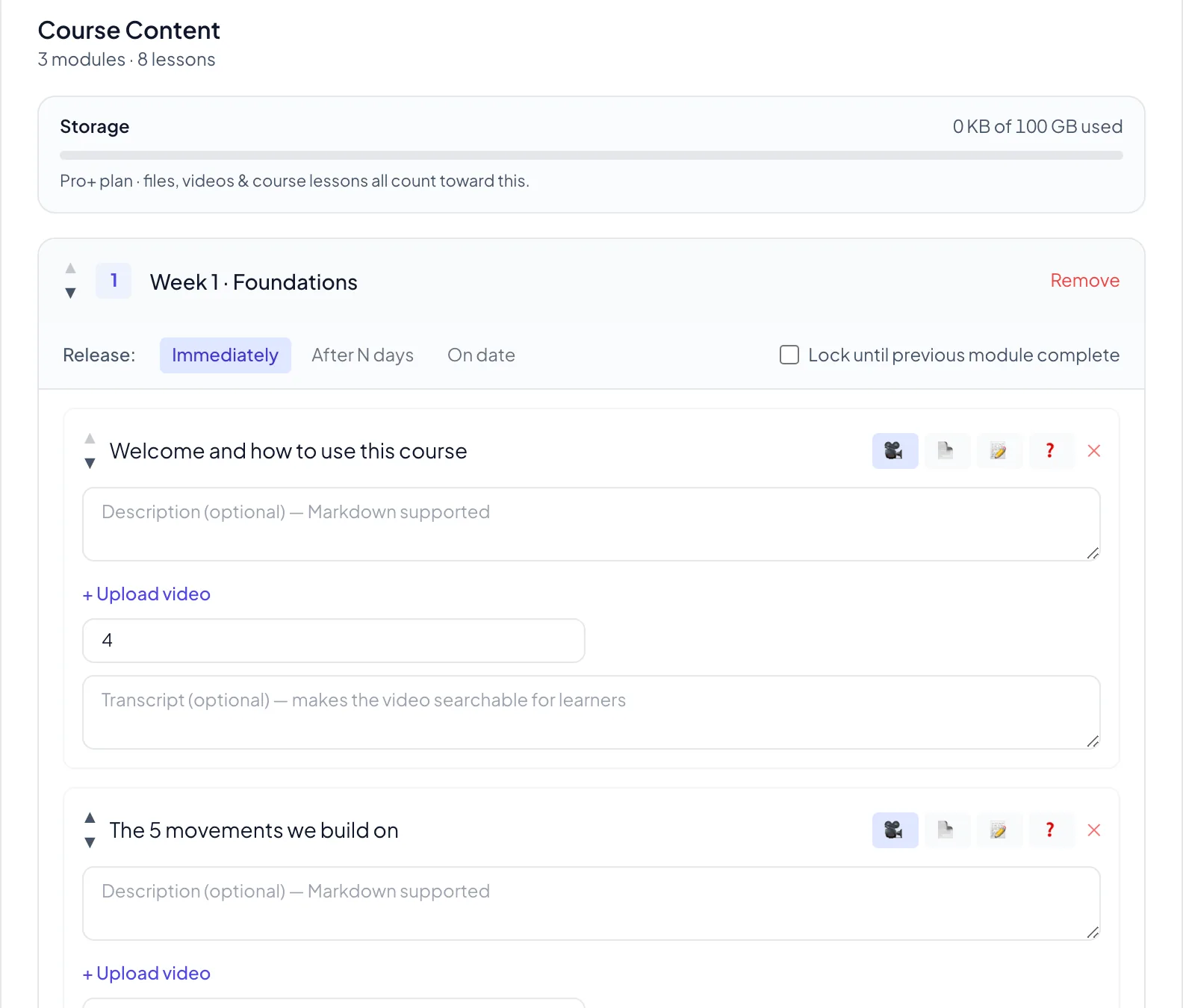
The transcript field under each video is worth thirty seconds of your time. It makes the lesson searchable for the student, which is the difference between them finding the bit about warm-ups and them messaging you to ask which video it was in.
Step 3: Price it and put it on your storefront
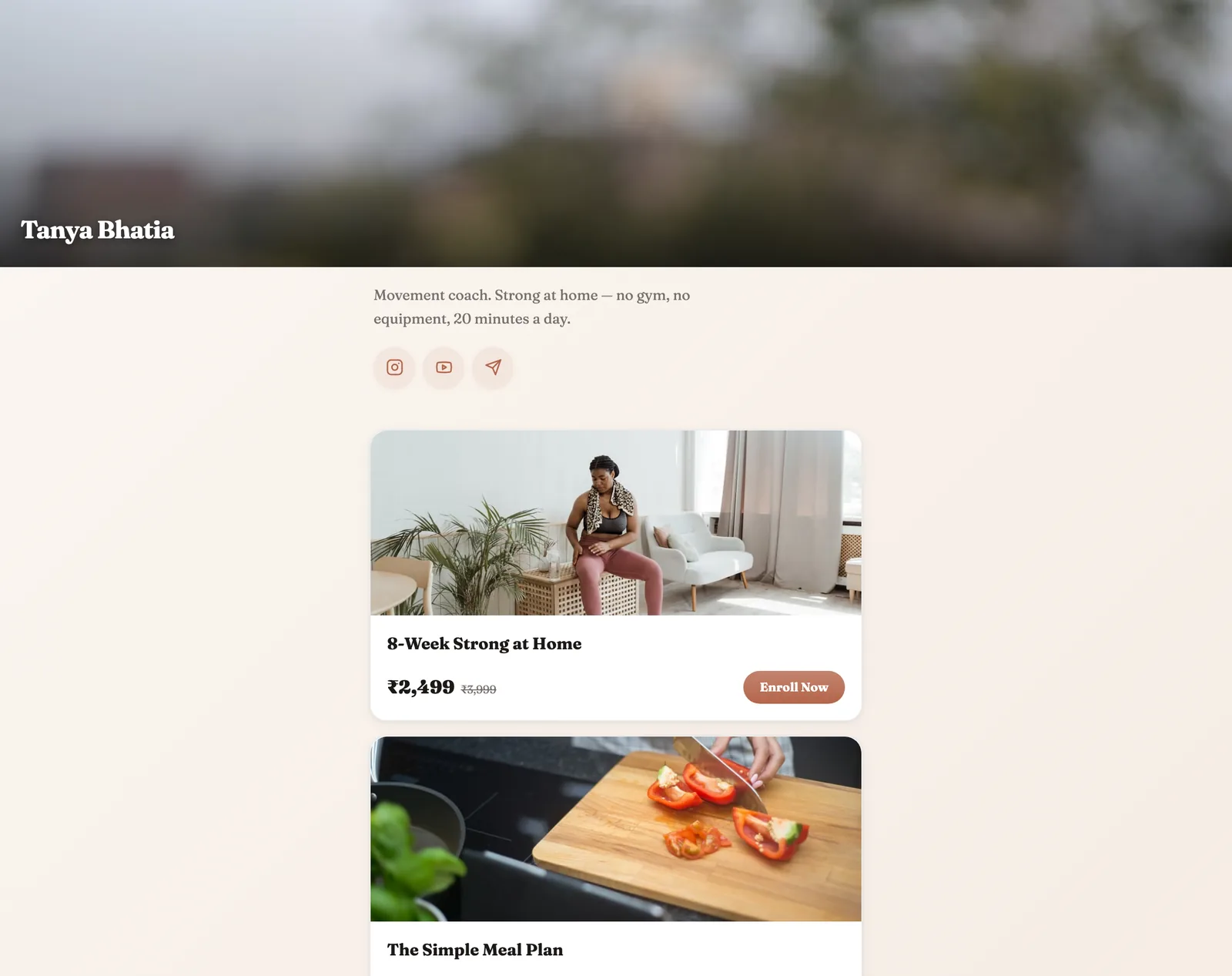
Set the price, publish, and the course appears on your store link with its cover and an Enroll button. This is the same link that goes in your bio, so there is nothing else to set up.
Step 4: Let somebody buy it and leave it alone
Access opens the moment payment clears. On Pro and Pro+ that arrives on WhatsApp, on the free plan by email. You do not send anything, you do not add anyone to anything, and the release schedule starts counting from their enrolment date rather than yours.
What your student actually sees
This is the half most course tools skip, so here it is properly. They land in a player, not a folder. Progress bar at the top, this week open in front of them, and the later weeks visible but locked with the date they open.
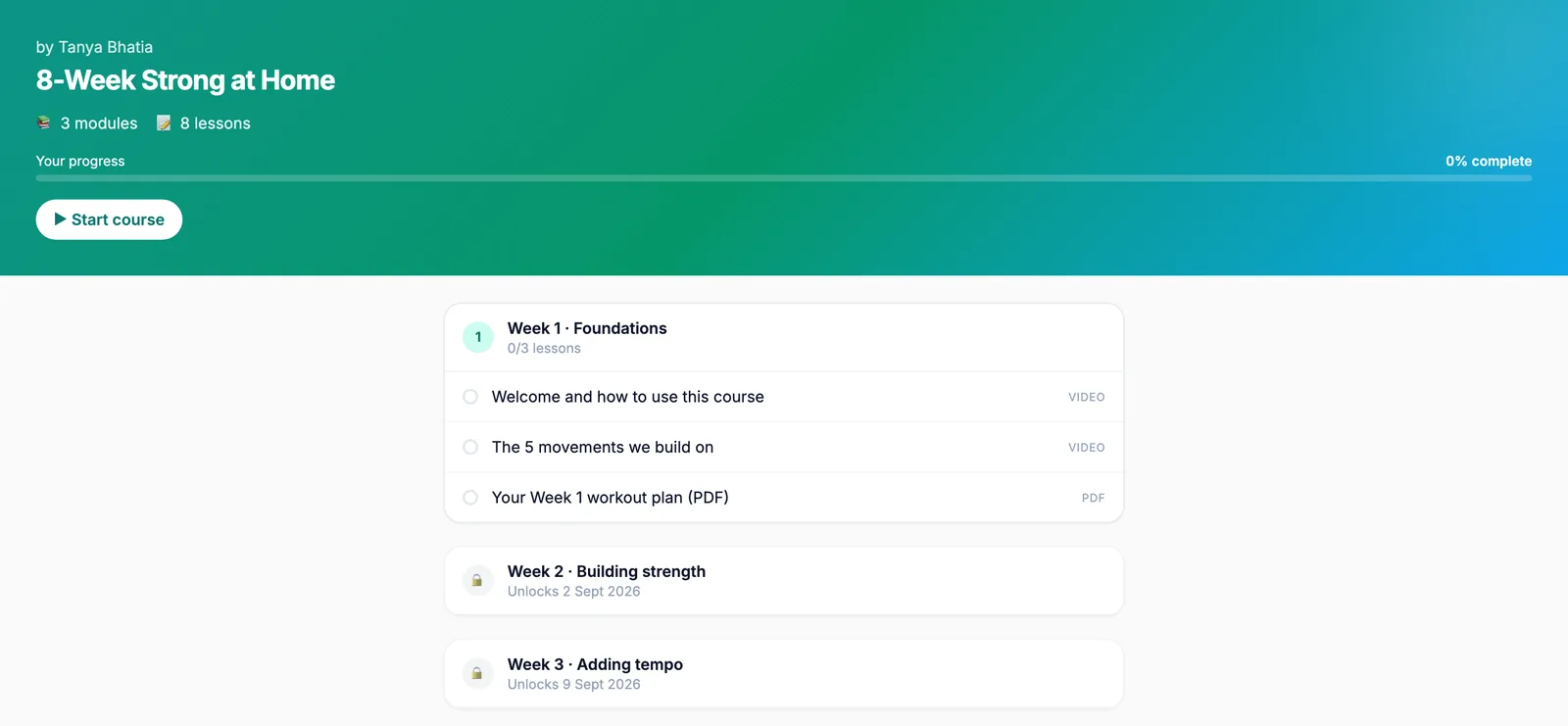
That locked row is doing more work than it looks like. It tells them the course continues, tells them exactly when, and gives them a reason to open the tab again on a Tuesday. A folder cannot say any of that.
Progress follows the student rather than the device, so watching on a laptop at night and a phone on the bus is one continuous course. When they finish, a certificate is generated for them. You will find out how much that matters the first time someone posts theirs without being asked.
The message you get in week three
Here is what actually changes, and it is not a number on a dashboard.
When you hand over a folder, the messages you get are all logistics. Link not working. Which file was it. Can you send it again. Every one of them is admin, and none of them is about the thing you spent six weeks teaching.
When the course opens a week at a time, the messages change. Somebody asks a question about week two, because they are actually in week two, on the day you expected them to be. That is the first time it stops feeling like you sold a file and starts feeling like you taught somebody something. It is a good week.
What it costs to run a course on Creatly
Free can build and sell a full course with drip release: unlimited products, 2 GB of storage, and a 6% fee only when a sale happens.
Video is what eats storage, so this is the product type where most people move up. Pro at ₹499 a month gives you 25 GB, drops the fee to 2% and moves delivery to WhatsApp. Pro+ at ₹999 a month is 100 GB. EMI also matters here, because a course priced at ₹4,999 is a decision rather than an impulse, and a monthly number is easier to say yes to.
The full comparison is on the pricing page.
Frequently asked questions
What is drip release on an online course?
Instead of handing over every lesson the moment somebody pays, each module opens on a schedule. Week one is there immediately, week two opens seven days later, week three the week after that. The student sees the locked weeks with their unlock dates, so nothing feels withheld, it just has a date on it.
Does drip release actually make people finish?
We are not going to quote you a completion statistic we cannot back. What we can say is the mechanism. A course that arrives all at once competes with everything else on a laptop and loses. A course that opens a new week on a date gives somebody a reason to come back that is not willpower. Whether that works for your audience is something your own progress numbers will tell you within a month.
Can I mix immediate and scheduled modules?
Yes, and most good courses do. Each module carries its own release rule, so a welcome module and the first real week can open immediately while the rest follow a schedule. You can also lock a module until the previous one is complete, which paces by effort rather than by calendar.
What kinds of lessons can a module hold?
Video, PDF, plain text and quizzes, and one module can mix all four. Videos take an optional transcript, which makes the lesson searchable for the student and saves you answering which video the thing was in. A week can be two videos, a worksheet and a short quiz.
How does the student get in, and do they lose access?
Access opens the moment payment clears, on WhatsApp for Pro and Pro+ creators and by email on the free plan, and they get their own account. Progress is saved against the student rather than the device, so a laptop at night and a phone on the bus is one continuous course. They do not lose access when the drip finishes.
What does it cost to run a course this way?
The free plan can build and sell a full course with drip release: unlimited products, 2 GB of storage and a 6% fee only when a sale happens. Video is what eats storage, so most course creators move to Pro at ₹499 a month for 25 GB and a 2% fee. Pro+ at ₹999 a month is 100 GB.
Do students get anything at the end?
A completion certificate is generated for them when they finish. It sounds like a small thing next to the actual teaching, and then you watch how many people post it, which is the cheapest marketing a course has.
You do not need the whole course finished to start. Put week one up, set week two to open seven days out, and let people enrol into something you are still building. It is a better deadline than any you will set yourself.
Guide: selling an online course, start to finish →
The course platform in full, with the builder and player →
Let Instagram comments enrol students for you →
Plans and pricing →