Your course deserves better
than a Drive folder and a prayer.
You recorded the lessons. Now they sit in a shared folder, students message you for the link, nobody finishes, and you have no idea who is on week three. A course needs a player, a release schedule and a checkout that survives the price. Here is all three.
₹0 to start · no card · pay only when you sell
From reel to enrolled, with nobody in the middle
Someone sees your reel and comments. AutoDM sends them the course link within seconds. They pay at checkout. Access opens immediately, their progress starts saving, and the first module is waiting for them before they have closed Instagram.
You find out it happened when you look, not because you had to do anything.
Build the course: modules, lessons, and what each one is
A course is modules, and a module is lessons. A lesson can be a video, a PDF, a block of text, or a quiz, and one module can mix all four. Videos take a transcript, which makes the lesson searchable for the student and saves you answering “which video was the bit about...” for the ninth time.
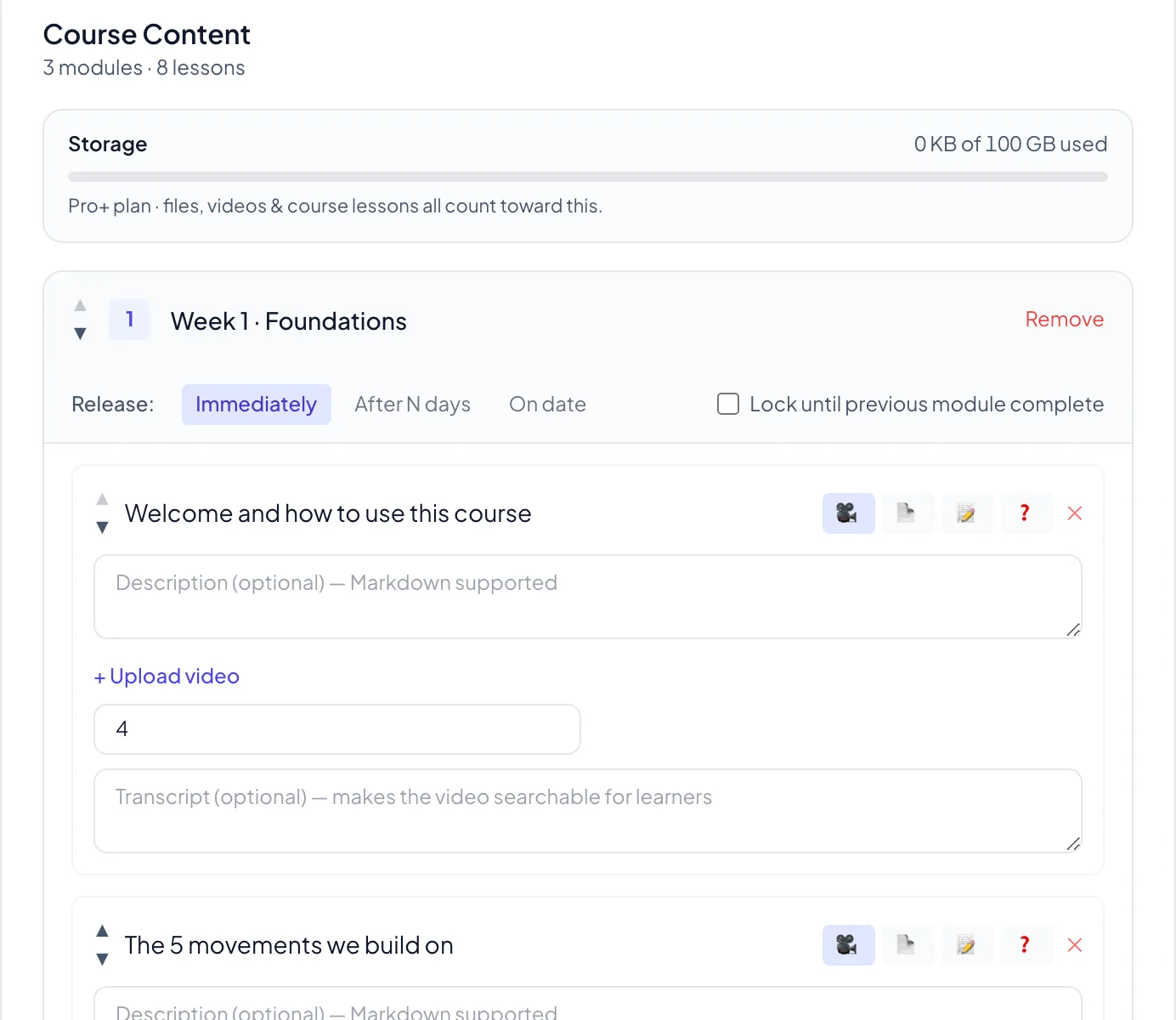
Release it week by week instead of all at once
Handing over everything on day one feels generous and finishes almost nobody. Each module can release immediately, a set number of days after someone enrols, or on a fixed date, and you can lock a module until the previous one is done.
The student sees the locked weeks with their unlock dates, which turns out to be the thing that brings them back. A course that people finish is the one they recommend.
The player your students actually learn in
Not a folder. A real player: progress bar at the top, modules laid out in order, a tick against every lesson they finish, and the locked weeks showing exactly when they open.
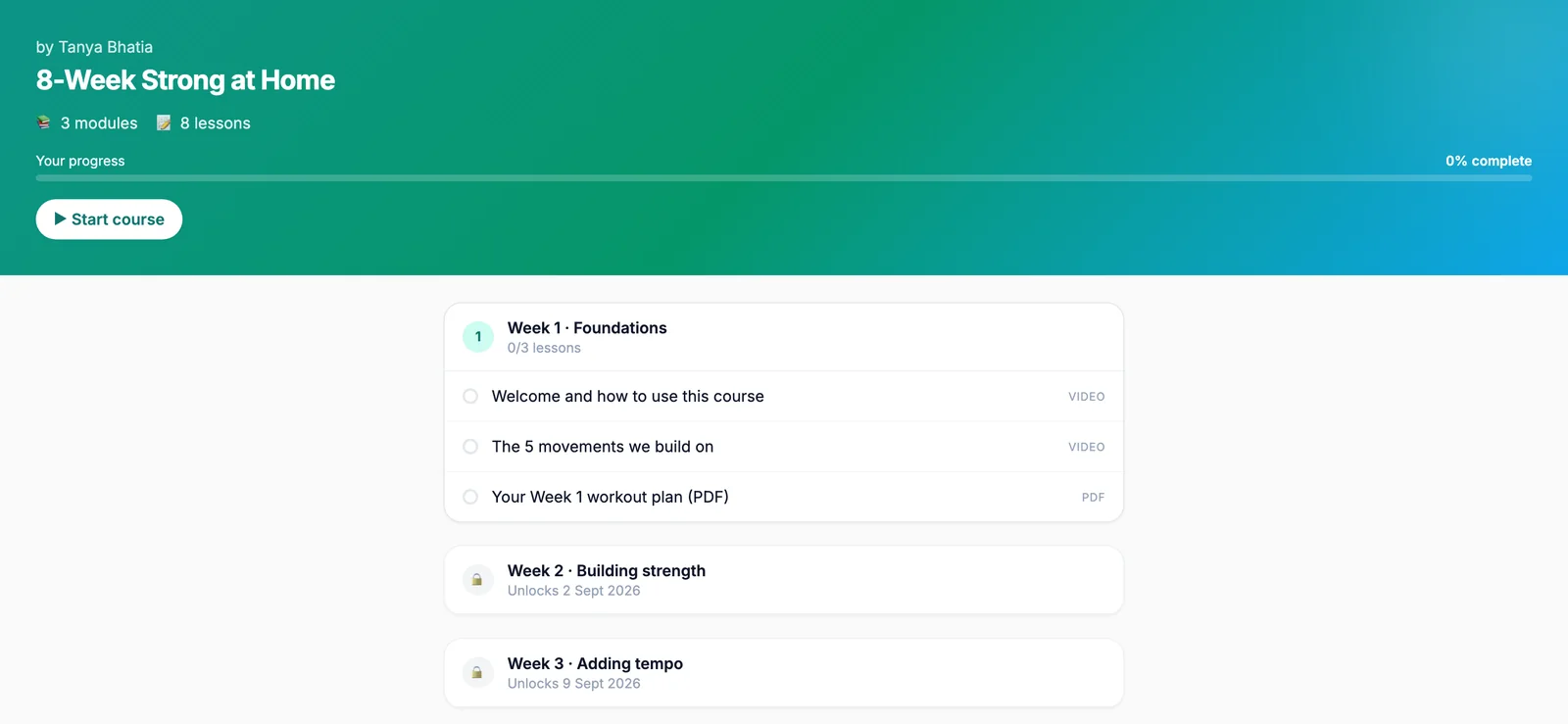
Progress follows the student, not the device, so watching on a laptop at night and a phone on the bus is one continuous course. When they finish, a completion certificate is generated for them.
Why a bigger course price still converts
An ebook is an impulse. A course at ten times the price is a decision, and decisions get postponed. The checkout is built to remove every reason to postpone: three fields, then done.
EMI matters most here. It turns a ₹4,999 course into a monthly number the buyer can say yes to now, and you are paid in full either way.
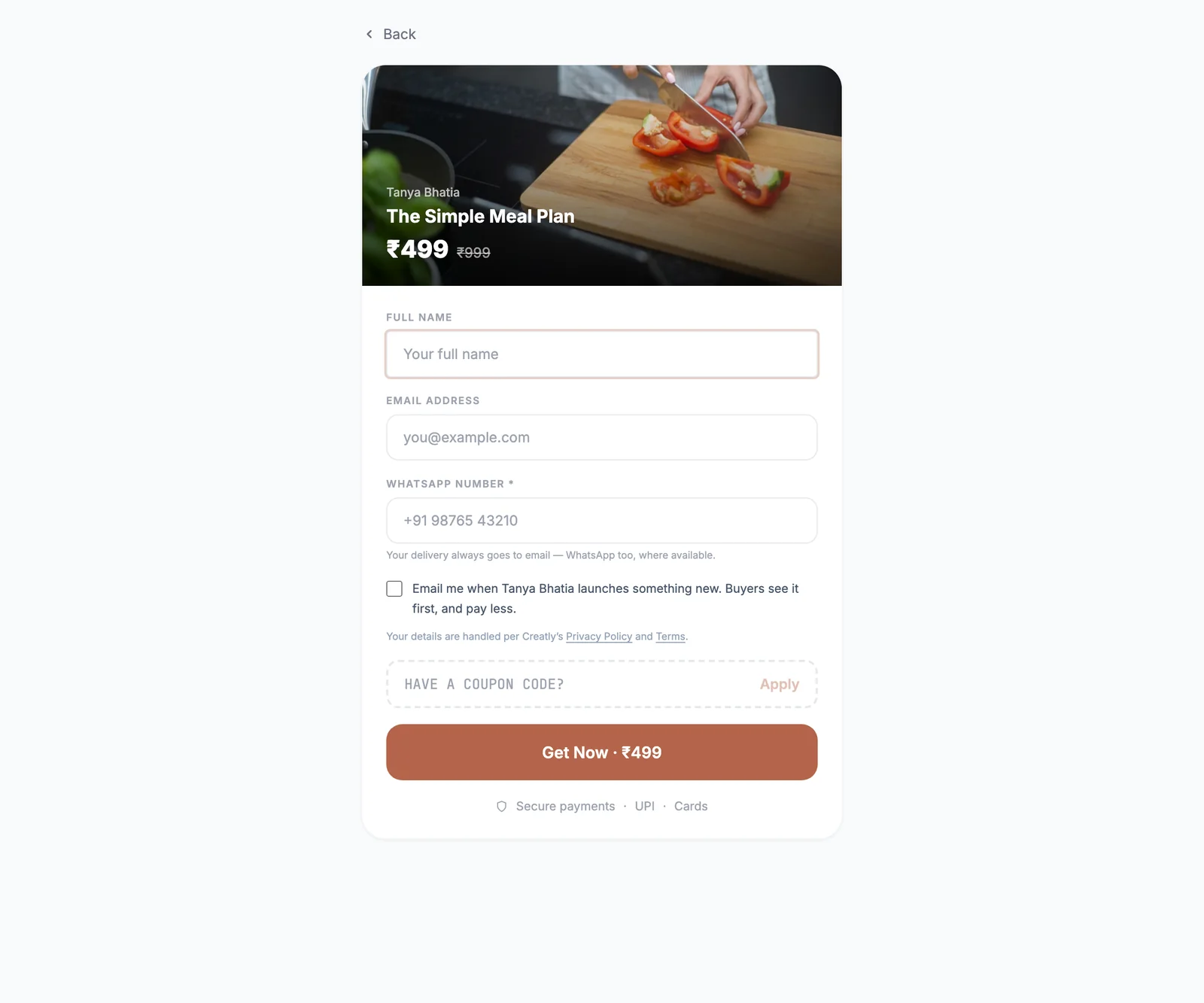
Getting students out of Instagram and into the course
Your bio link carries the storefront, which is the passive half. The active half is AutoDM: when someone comments on the reel where you talked about the course, they get the link in seconds, while they are still thinking about it.
It can also ask them to follow you before sending the link, and follow up with the person who opened it and did not finish paying, which for a course price is a meaningful number of people. That is all on the AutoDM page.
What it costs to sell an online course
Free can build and sell a real course: unlimited products, 2 GB of storage, 6% only when a sale happens.
Video is what eats storage, so this is the one product type where most people move up. Pro at ₹499 a month gives you 25 GB, drops the fee to 2% and moves delivery to WhatsApp. Pro+ at ₹999 a month is 100 GB and 0% on your first ₹1,00,000 of sales each month.
The full comparison is on the pricing page.
Frequently asked questions
Do I need a website to sell an online course?
No. Your Creatly storefront is the website. It lives at creatly.me/yourname, goes in your Instagram bio, and your course sits there with its own player: modules, lessons, video, PDFs, text, quizzes, progress tracking and a completion certificate. You never touch hosting, domains or plugins.
How do students pay for a course?
Card, UPI or EMI through Razorpay. EMI matters more for courses than for anything else you sell, because a ₹4,999 price that makes someone hesitate becomes an easy monthly number, and you still get paid in full.
Can I release the course week by week?
Yes. Each module can release immediately, a set number of days after the student enrols, or on a fixed date. You can also lock a module until the previous one is complete. Students see the locked weeks with the unlock date on them, which is usually enough to keep them coming back.
What kinds of lessons can I add?
Video, PDF, text and quiz. A single module can mix them, so a week can be two videos, the workout plan as a PDF and a short quiz at the end. Videos can carry a transcript, which makes the lesson searchable for the student.
What happens right after someone enrols?
They get access within seconds, on WhatsApp for Pro and Pro+ creators and by email on the free plan, plus their own account. Their progress is saved as they go, so they resume exactly where they left off, on any device, without asking you for the link again.
How do I get students from Instagram?
Two things that work together. Your bio link carries the storefront, and AutoDM does the chasing: someone comments on your reel, Creatly sends them the course link in seconds, can ask them to follow you first, and can follow up with the person who opened the link but did not finish paying.
What does it cost to sell a course?
The free plan can build and sell a full course: unlimited products, 2 GB of storage and a 6% fee only when you make a sale. Video is what eats storage, so most course creators move to Pro at ₹499 a month, which drops the fee to 2%, adds WhatsApp delivery and gives you 25 GB. Pro+ at ₹999 a month is 100 GB and 0% on your first ₹1,00,000 of sales each month.
Put up the first module this week and let people enrol into a course that is still being built. It is a better deadline than any you will set yourself.
Guide: selling an online course, start to finish →
Let Instagram comments enrol students for you →
Selling files and templates instead →
Plans and pricing →