Still waiting for a website before you sell on Instagram?
15 August 2026 · 8 min read
Every few weeks someone with 8,000 engaged followers tells us they cannot start selling because the website is not ready. Let us save you a few months. The website is never going to be ready, and you do not need it. Your bio link, your DMs and a checkout are the entire shop.
People are already asking you for things. The only missing piece is a way for them to pay you without a five message conversation. Here is that setup, step by step.
Why the website is not what is stopping you

The website is a comfortable thing to be blocked on, because it feels productive and it postpones the scary part, which is asking people to pay. But your buyer does not want a website. They want a price, a pay button and the thing they bought. Everything else you are planning is for you, not for them.
1. Your bio link is your shop, so treat it like one
A plain Linktree sends people to five places and sells nothing. What you want at that link is a page where every single thing you offer has a price and a Buy button. Your notes, your course, your 1:1 call, your community. Someone lands, sees the price, pays. Done.
Keep the link readable. creatly.me/yourname beats a random string of characters, because people type it out from Stories and screenshots more often than you’d think.
2. Post so the comment section does the work
The reels that sell are not the ones saying “link in bio”. They’re the ones that solve a small piece of the problem, then say: comment NOTES and I’ll send it.
Why that beats “link in bio”, honestly:
- Comments are engagement, so Instagram pushes the reel to more people. Your sales post becomes your growth post.
- Nobody has to leave the app, hunt for your profile, tap the link. Every one of those steps loses people.
- You end up with a DM thread, which is a real conversation you can follow up in rather than an anonymous click.
3. Automate the DM before you drown in them
The first time a reel does well, replying by hand is genuinely fun. You feel like a celebrity. Comment forty is still fine. Somewhere around comment two hundred, at 1am, pasting the same link for the two hundredth time with one eye closed, the feeling changes. And the person who commented six hours ago has long since moved on to someone else's reel.
Speed is the whole game. The DM should land while they are still looking at your post. Creatly’s AutoDM does it in seconds: they comment your keyword, they get your link. It can also ask them to follow you before sending, so the same reel that sells also grows the account.
4. Take UPI, or watch the sale disappear
This is where most creators lose money without ever knowing. Your buyer is on a phone, in an app, ready. If checkout asks for card details or opens something that looks foreign, they close it. They don’t message you to complain. They just vanish.
GPay, PhonePe, Paytm. UPI has to be the first option, not a fallback. And for anything above ₹2,000, EMI changes the conversation completely: “₹833 a month” lands very differently from “₹4,999 right now”.
Please also retire the QR-code-in-DM method. No receipt, no record, you personally verifying every payment, and buyers have no reason to trust you at all. It caps your business at however many payments you can manually check.
5. Deliver on WhatsApp, immediately
Payment done. Now what? If your answer is “I’ll send it in the evening”, you have a job, not a business.
Automatic WhatsApp delivery means the file, the course access or the call link arrives in seconds, with a receipt. Buyers relax. You stop being the delivery boy for your own product. And when they lose the message, and they will, a buyer login lets them get it themselves instead of DMing you.
6. Sell to the people who already paid
The hardest sale is the first one. After that, someone who paid you ₹199 and got something good is far more likely to pay ₹2,999 later than any new follower.
So keep a customer list, not just a follower count. Followers are rented from Instagram, and one algorithm change takes them away. A list of buyers with phone numbers and emails is yours. Broadcast the new product to them first; that’s usually your best sales day.
Why this matters more than another follower
Followers feel like the goal because they are the number Instagram shows you. But a follower is a person who liked something once. A buyer is a person who trusted you with money and then got exactly what you promised. Those are not the same relationship, and only one of them survives a bad month on the algorithm.
The first time someone you have never met pays you for something you made in a weekend, something shifts. You stop being an account that posts and start being someone who sells. Everything after that is just repetition.
What this looks like on a normal week
Three reels. One of them says “comment GUIDE”. Forty people comment; they all get the DM within seconds; eleven open the link; four buy at ₹399. That’s ₹1,596 from one reel, with you doing nothing after posting. Nothing here needs a website, a developer or an agency.
How to set this up on Creatly, step by step
Six ideas are only useful if they are running. Here is the setup, and none of it needs a website.
Step 1: Claim your link and add one product
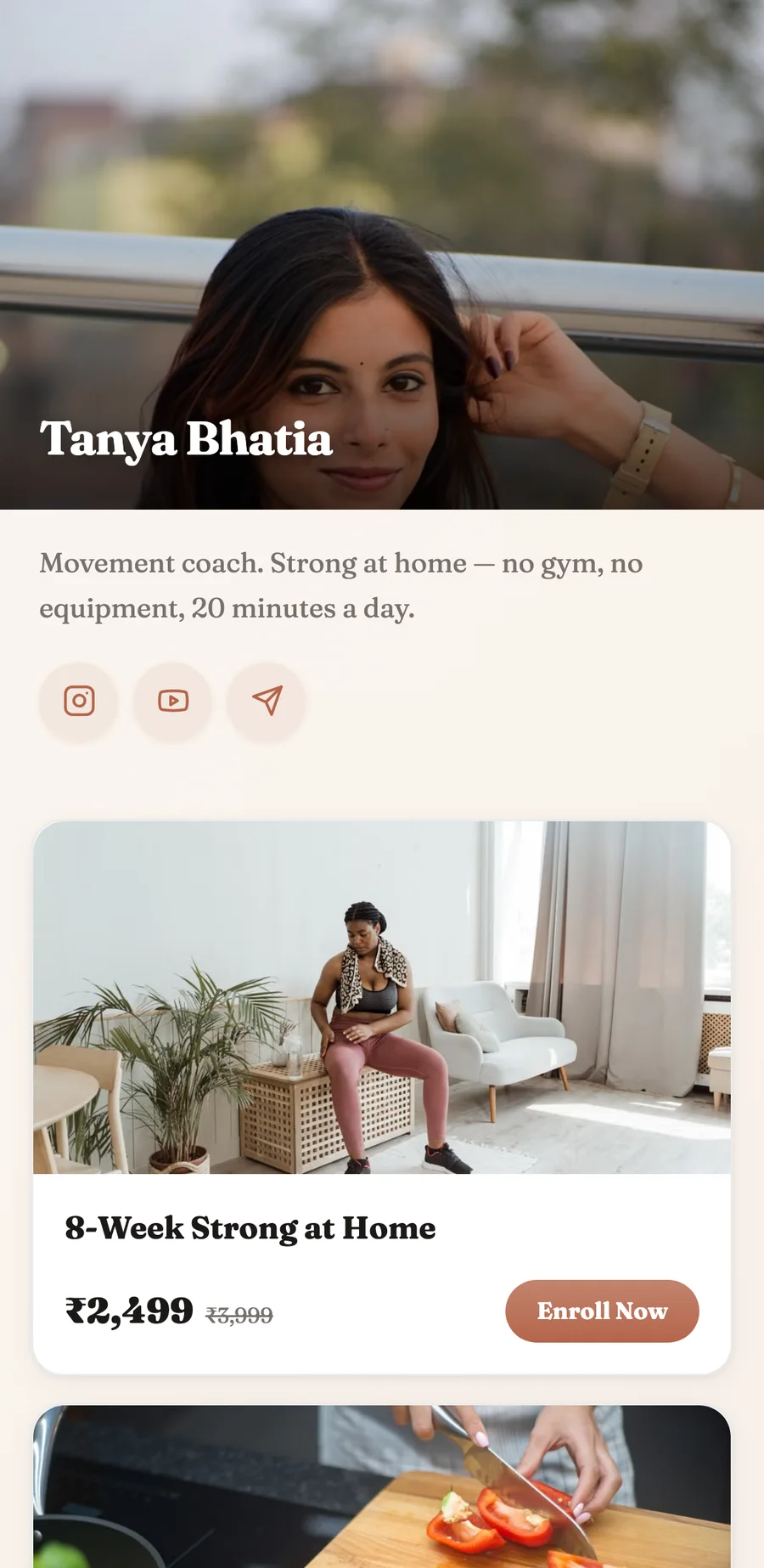
Your storefront is creatly.me/yourname. Add a single product with a price and publish it. That link goes in your bio, and it is now the shop from step 1 doing the job of step 4 as well.
Step 2: Connect Instagram and build the automation
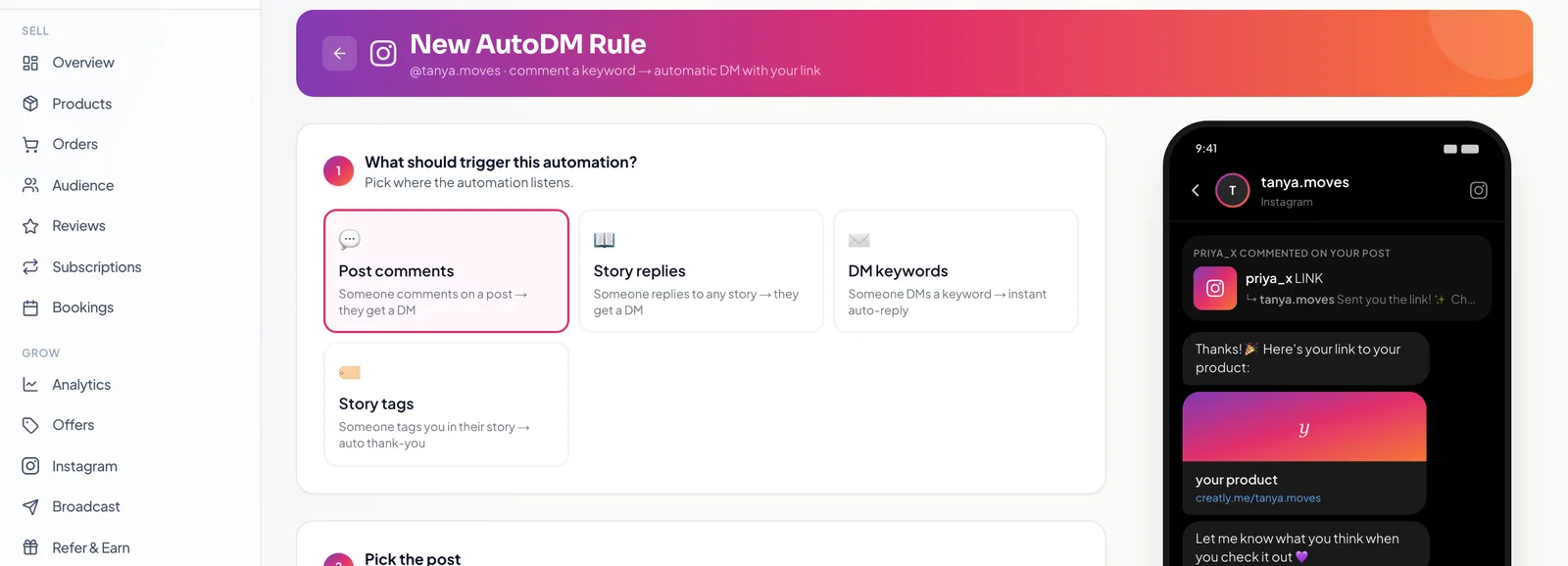
Connect your account through Instagram's own login, then create an AutoDM rule. Pick what it listens to, whether that is comments on a post, story replies or DM keywords, choose the post, and set the keyword. Write the message, drop in your product link, and switch it on. The preview on the right is the exact DM your follower receives.
Step 3: Post the reel and let it run
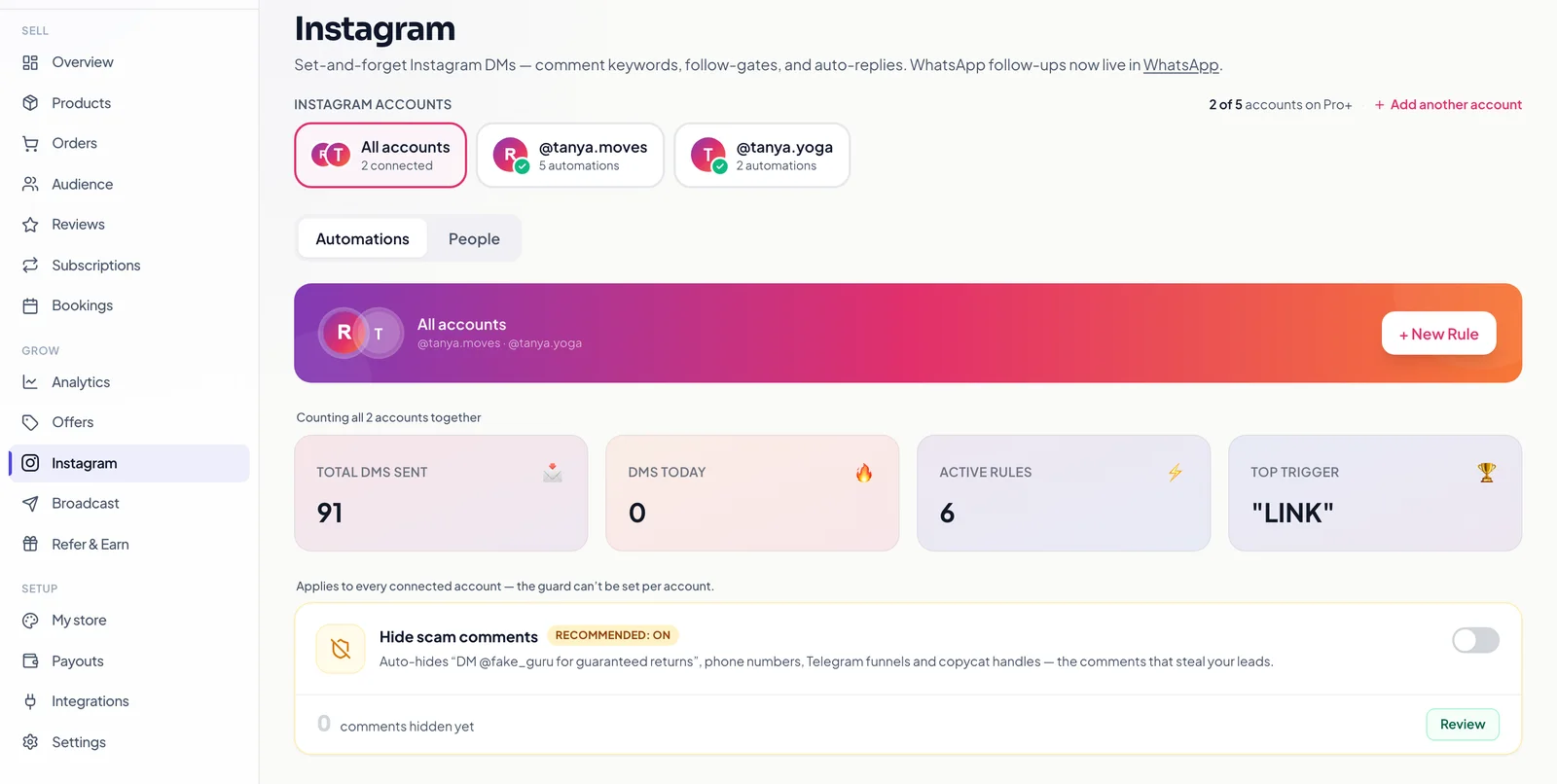
Make the reel, ask for the keyword in the caption, and then do the hardest part of this entire article: close Instagram. Every commenter gets the link within seconds, pays on your storefront, and receives the product automatically. The dashboard keeps count so you can see which keyword and which post actually earned, not just which one got likes.
Frequently asked questions
Can I sell on Instagram without a website?
Yes, and most creators should. A storefront link in your bio does everything a website would do for selling: it shows each product with a price, takes the payment, and delivers the product. Buyers never notice a website is missing, because the part they care about is the checkout.
How do I turn Instagram comments into sales?
Post a reel that solves a small piece of a problem, then ask people to comment a keyword instead of saying link in bio. Automation sends your product link to each commenter in seconds, while they are still looking at the post. On Creatly that is AutoDM, and it can also ask the person to follow you before the link goes out.
How do buyers pay me on Instagram?
They do not pay inside Instagram. They tap through to your storefront link and pay there by UPI, card or EMI. That matters because a proper checkout gives them a receipt and gives you a record, which a UPI QR code in the DMs never does.
Is a link in bio tool enough to sell?
A plain link list points people at five destinations and sells none of them. What converts is a page where every product has a price and a buy button, so someone can land, decide, and pay without a conversation. That is the difference between a link page and a storefront.
How many followers do I need before I can start selling?
Fewer than you think. A thousand engaged followers who trust you will out-earn ten thousand who do not. What actually decides it is whether people already ask you questions, because those questions are the product. If your DMs are asking, you are ready.
The pieces, meaning the store link, automated DMs, UPI checkout, WhatsApp delivery and customer list, are all in Creatly, and the free plan is ₹0 forever with a fee only when you actually sell. Start with one product this week. Not sure what to sell? Here are fourteen ideas that work. Or go deeper on the DM part: how comment to DM automation gets set up, step by step.