Digital File
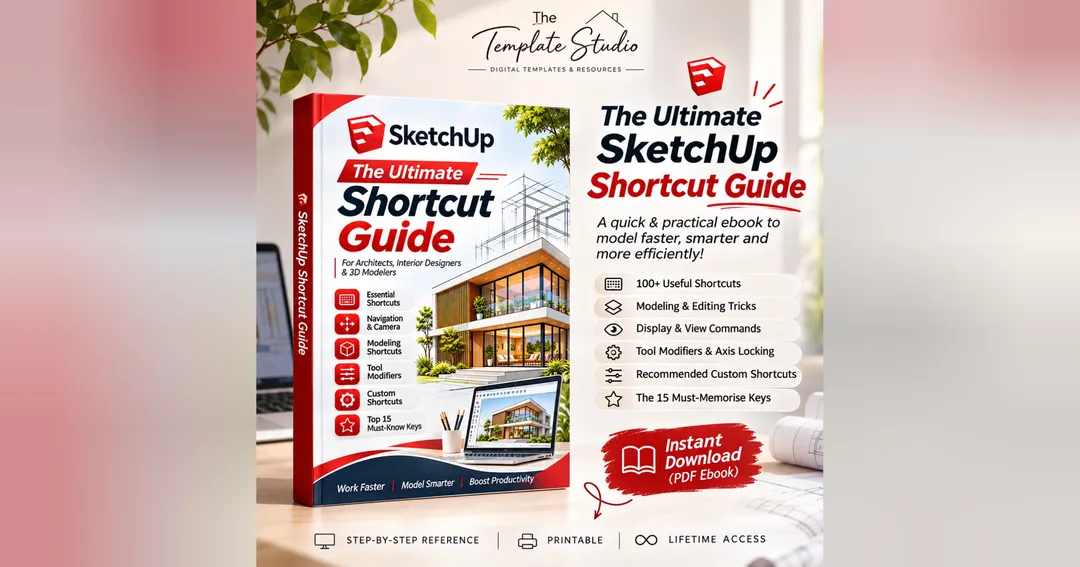
The Ultimate SketchUp Shortcut Guide
$2
Free sample
1 of 11 pages The rest is locked
Tap a page to read the free sample
Work Faster. Model Smarter. Boost Productivity.
Ready to take your SketchUp modeling skills to the next level?
The Ultimate SketchUp Shortcut Guide is a practical digital reference ebook designed for architects, interior designers, architecture students, and 3D modeling enthusiasts who want to work faster, smarter, and more efficiently.
No more wasting time searching through menus or repeatedly clicking tools. Learn the essential keyboard shortcuts, tool modifiers, and modeling commands that can help streamline your everyday SketchUp workflow.
What's Inside?
Essential Modeling Shortcuts: Quickly access frequently used drawing and modeling tools.
Camera & Navigation: Master Orbit, Pan, Zoom, and camera controls.
Editing & Modification: Learn commands for copying, grouping, hiding, and modifying geometry.
Architectural Modeling: Practical workflows for walls, floors, doors, windows, stairs, and roofs.
Precision Modeling: Enter exact dimensions and use multiplication, division, and angle commands.
Selection Shortcuts: Select, add, remove, and manage objects efficiently.
Display & View Commands: Explore X-Ray, Wireframe, Hidden Line, Shaded, and other viewing modes.
Important Tool Modifiers: Understand Ctrl, Shift, and arrow-key combinations.
Recommended Custom Shortcuts: Personalise your workflow with suggested keyboard assignments.
Top 15 Must-Know Shortcuts: A quick-reference list of the most useful tools to memorise first.
Who Is This Guide For?
Architecture and interior design students
Architects and interior designers
3D visualisation professionals
SketchUp beginners
Working professionals looking to improve productivity
What You Get
Digital PDF ebook
Easy-to-follow shortcut charts
Visual examples and illustrations
Printable quick-reference pages
Convenient digital reference
Why You'll Love It
Whether you're creating floor plans, designing interiors, developing architectural models, or working on detailed 3D projects, this guide helps you build a more efficient modeling routine.
Learn the shortcuts. Reduce repetitive work. Create with confidence.
Get Your Copy Today!
Brought to you by The Template Studio – Creative templates and digital resources designed to make your work easier.
Note: Shortcut assignments may vary depending on your SketchUp version and operating system. Custom shortcuts in this guide are recommendations, not default settings. This is an independent educational resource and is not an official SketchUp publication.
About the creator
T
Template studio
🏬 Visit storeMore from Template studio
Check out other products