ESIC Smart MC Upload Generator v2.1 (Excel) – 10,000 Employees
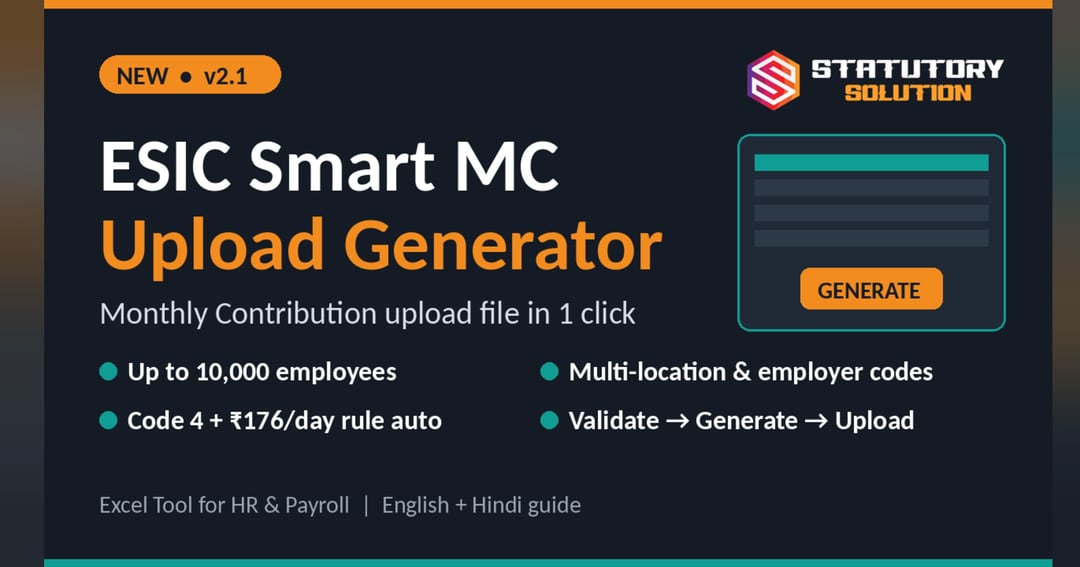
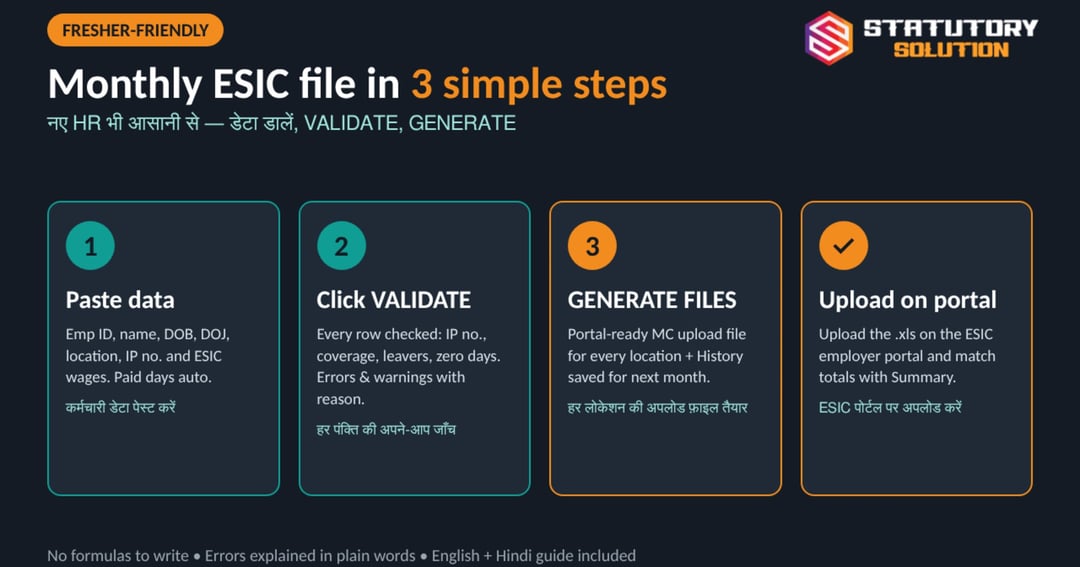
Stop typing employee data into the ESIC portal every month. Enter employee data, click VALIDATE, then GENERATE FILES – and get a portal-ready Monthly Contribution (MC) upload file for every location.
What you get:
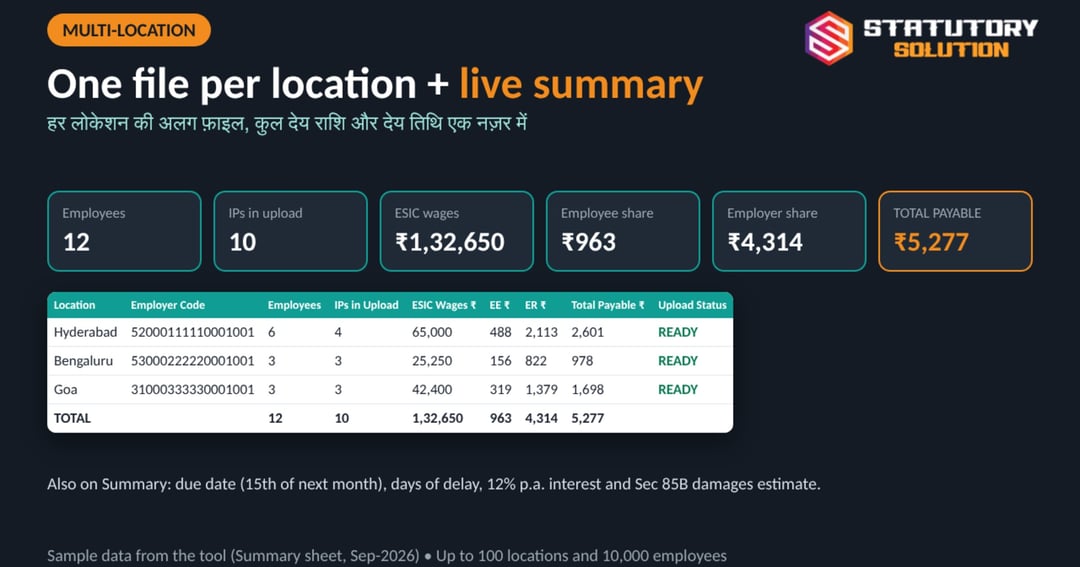
• Up to 10,000 employees and 100 locations in one file
• Separate upload file for each 17-digit employer code + location-wise summary
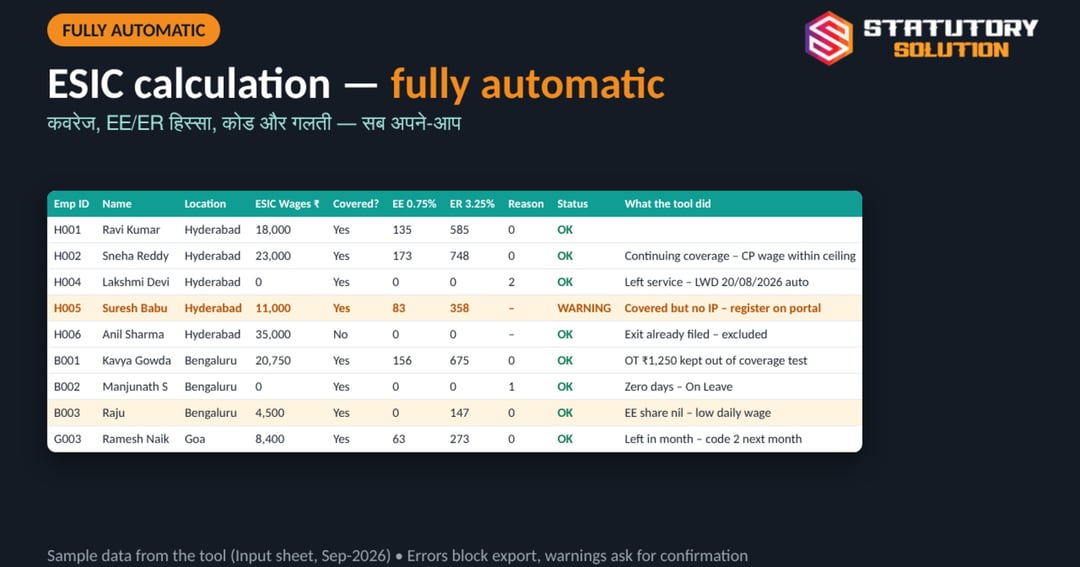
• Coverage by contribution period (Apr–Sep / Oct–Mar), using History automatically
• Out of Coverage (Code 4) only in April / October, with Last Working Day
• Employee share NIL for low-wage employees as per the ESI Act limit (employer share still calculated)
• OT included in contribution, excluded from the coverage test
• Zero-day reason codes + Last Working Day checks; errors block export
• Due date, days left, 12% interest and Sec 85B damages estimate
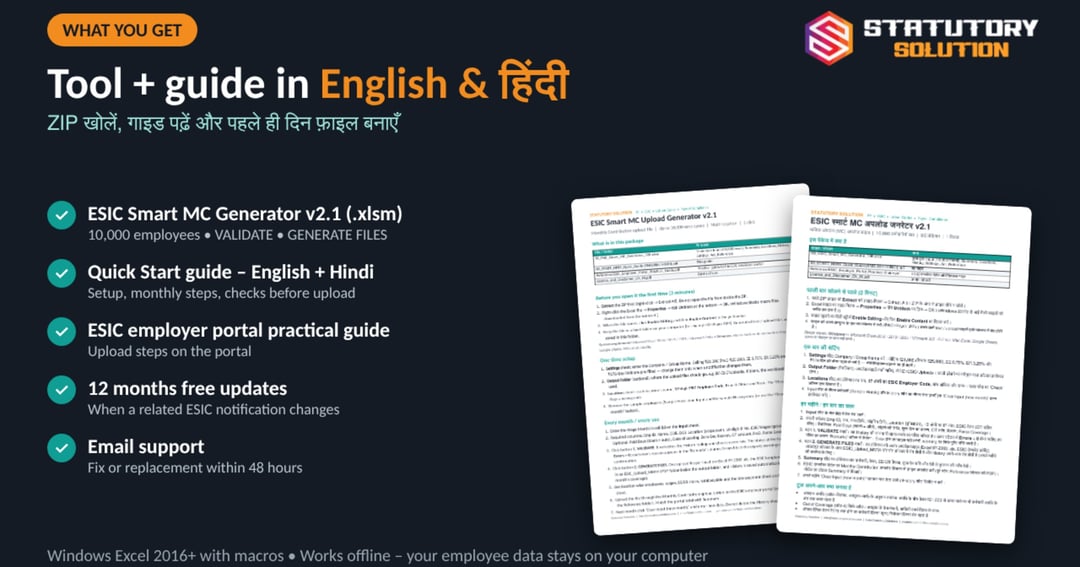
In the ZIP: ESIC Smart MC Generator v2.1 (.xlsm), ESIC employer portal practical guide (PDF), Quick Start guide in English and Hindi, Licence & Disclaimer.
Requirement: Microsoft Excel 2016 or later on Windows, macros enabled. Buttons do not work on Mac, Google Sheets or mobile.
12 months of free updates when a related notification changes. Support: [email protected] (fix or replacement within 48 hours). Digital product – no refund after download.
Disclaimer: a working tool, not legal advice. Match totals with the Summary sheet and verify with the ESIC portal / notifications before upload. Statutory Solution is not affiliated with ESIC.
हिंदी में:
हर महीने ESIC पोर्टल पर कर्मचारियों का डेटा हाथ से भरना बंद कीजिए। कर्मचारी डेटा डालें, VALIDATE और फिर GENERATE FILES दबाएँ – हर लोकेशन की पोर्टल के लिए तैयार MC अपलोड फ़ाइल पाएँ। 10,000 कर्मचारी तक, कई लोकेशन, कोड 4 और ₹176 नियम अपने-आप। अंग्रेज़ी और हिंदी गाइड साथ में।
What you'll get
- Up to 10,000 employees, 100 locations
- 1-click MC upload file per employer code
- Coverage by contribution period (auto)
- Code 4 (Out of Coverage) in Apr / Oct
- Validation: errors block, warnings ask
- Location-wise summary + late interest check
- Quick Start guide in English + Hindi
- 12 months free updates
About the creator

Frequently asked questions
How many employees and locations does it support?
Up to 10,000 employee rows and 100 locations (employer codes) in one file. One upload file is created for each location.
Will the file upload directly on the ESIC portal?
The tool creates the file in ESIC's Monthly Contribution template format (.xls). Always match totals with the Summary sheet before uploading.
Does it work on Mac, Google Sheets or mobile?
No. The VALIDATE and GENERATE buttons are Excel macros, so you need Microsoft Excel 2016 or later on a Windows computer.
Is there a guide in Hindi?
Yes. The ZIP has a Quick Start guide in both English and Hindi, plus a practical guide to the ESIC employer portal.
Will I get updates if ESIC rules change?
Yes, free updates for 12 months from purchase whenever a related ESIC notification changes. You will be informed by email / WhatsApp.
What is the refund policy?
It is a digital download, so there is no refund after download. If the file does not work on Windows Excel, email [email protected] for a fix or replacement within 48 hours.
More from Statutory Solution
Check out other products