MS PowerPoint Keyboard Shortcuts: 170 Essential Shortcuts for Faster Presentations
MS PowerPoint Keyboard Shortcuts
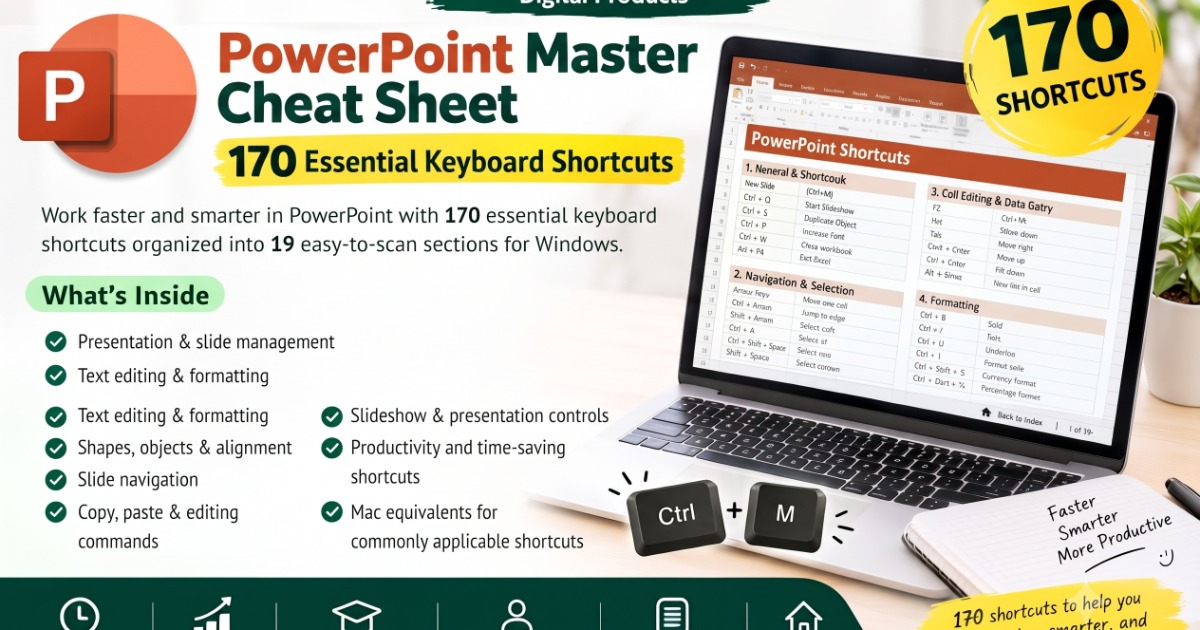
A professional quick-reference guide featuring 170 carefully selected PowerPoint keyboard shortcuts for Windows. Designed to help users create, edit, format, navigate, and present slides more efficiently.
What’s Included
Presentation & slide management
Text editing & formatting
Shapes, objects & alignment
Slide navigation
Copy, paste & editing commands
Slideshow & presentation controls
Productivity and time-saving shortcuts
Mac equivalents for commonly applicable shortcuts
Key Benefits
Save Time: Complete everyday tasks with fewer clicks.
Increase Productivity: Work more efficiently in PowerPoint.
Improve Workflow: Access frequently used commands quickly.
Build Confidence: Learn practical shortcuts through regular use.
Quick Reference: Find the shortcut you need without searching.
How to Use
Simply open the guide while working in PowerPoint, find the required task, and use the corresponding keyboard shortcut. Practice frequently used shortcuts to make them part of your everyday workflow
Why You’ll Want to Buy This
Make PowerPoint easier, faster, and more efficient with 170 practical keyboard shortcuts in one professional quick-reference guide.
✔ Save valuable time
✔ Reduce repetitive mouse clicks
✔ Create and edit presentations faster
✔ Improve your productivity and workflow
✔ Learn shortcuts that are useful for everyday work
✔ Perfect for students, job seekers, and professionals
✔ Keep a convenient reference whenever you work in PowerPoint
If you use PowerPoint regularly, this guide can help you work smarter not harder.
What you'll get
- Who Is It For? Students • Professionals • Teachers • Business Users • Presenters
- • Job Seekers • Beginners • Regular PowerPoint Users
- One practical guide. 170 shortcuts. Faster presentations. Better productivity.
About the creator
**About Niveditha** Niveditha is a digital creator who creates practical, beautiful, and easy-to-use eBooks, journals, planners, and digital resources designed
🏬 Visit storeMore from Niveditha Gonayak
Check out other products