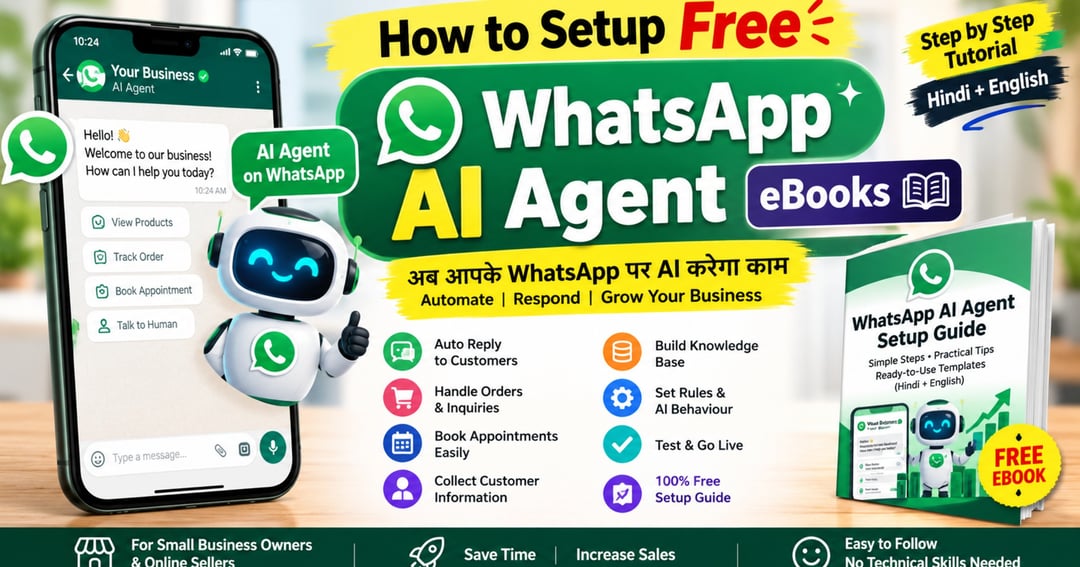
How to Set Up a FREE WhatsApp AI Agent – Complete Hindi + English Guide Step-by-Step Tutorial to Automate Customer Replies, Manage Orders & Grow Your Business with AI
Free sample
2 of 14 pages
 The rest is locked
Tap a page to read the free sample
Want to automate your WhatsApp Business without spending money on expensive tools?
Discover how to set up your own AI Agent on WhatsApp Business with this simple, beginner-friendly Hindi + English eBook!
This practical guide explains how to configure your WhatsApp AI Agent to respond to customer inquiries, collect customer information, share product details, manage appointment bookings, and make your business communication easier.
Whether you are a small business owner, online seller, freelancer, service provider, or entrepreneur, this guide will help you understand the essential AI Agent setup process step by step.
Learn how to work smarter, save time, and improve your customer experience with AI-powered WhatsApp automation.
No complicated technical knowledge required. Just follow the simple steps and customize the guide for your business!
What you'll get
- FREE WhatsApp AI Agent Setup: Learn the essential setup process step by step.
- Automate Customer Replies: Let AI handle common customer questions automatically.
- Collect Customer Information: Learn how to collect names, product preferences, and order details.
- Manage Appointments Easily: Understand appointment types, schedules, and booking information.
- Create Your AI Knowledge Base: Add business details, product information, catalogues, and FAQs.
- Smart Customer Conversations: Customize AI response rules, language, tone, and follow-up messages.
- Ready-to-Use AI Prompts: Get practical examples and copy-paste instructions for your AI Agent.
- Hindi + English Beginner-Friendly Guide: Simple explanations designed for small business owners
About the creator

Mintora Digital is a premium marketplace providing creators, entrepreneurs, and designers with high-quality digital assets. From professional templates and actionable ebooks to advanced AI prompts and creative resources, we deliver smart, modern tools to accelerate your digital growth and streamline your workflow.
🏬 Visit storeFrequently asked questions
1. What will I learn from this eBook?
You will learn how to set up a WhatsApp AI Agent, automate customer replies, collect customer information, share product details, and manage customer inquiries.
2. Is this eBook suitable for beginners?
Yes! This guide uses simple Hindi and English explanations, making it easy for beginners, small business owners, and online sellers to follow.
3. Do I need technical knowledge?
No advanced technical knowledge is required. Follow the simple, step-by-step instructions to understand the setup process.
4. Is the WhatsApp AI Agent free to use?
The guide explains the free setup process described in the tutorial. Actual feature availability and charges may vary depending on your WhatsApp Business account and app version.
5. Can I use it for my small business?
Yes! This guide is useful for shop owners, online sellers, freelancers, consultants, service providers, and entrepreneurs.
6. Can AI automatically reply to my customers?
Yes, where the AI Agent feature is available and enabled. Learn how to configure automated replies and customize customer conversations.
7. Will I learn how to share product details and prices?
Yes! Learn how to organize product information, pricing, catalogues, payment instructions, and frequently asked questions for your AI Agent.
8. Does the eBook include ready-to-use prompts?
Yes! It includes practical AI instructions and sample customer questions and answers that you can customize for your business.
9. Is this a physical book or a digital product?
This is a digital eBook in downloadable Word document format. No physical book will be shipped.
10. Will this eBook guarantee more sales?
Sales are not guaranteed. However, the guide helps you understand AI-powered customer communication and automation to improve your business workflow and customer experience.
More from Mintora Digital
Check out other products