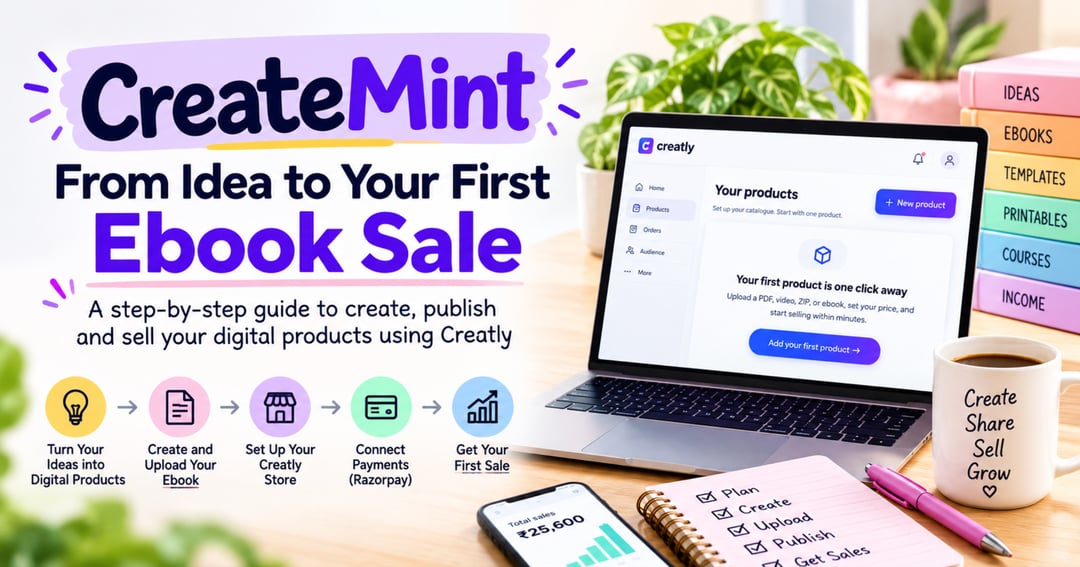
📘 How to Create and Sell Your First Ebook A Complete Step-by-Step Guide for Beginners 💡 Have an idea but don't know how to turn it into an ebook? Want to create your own digital product and start selling online, but feel confused about where to begin? This practical, beginner-friendly guide will walk you through the entire process — from choosing your ebook topic to creating a professional PDF, setting up your online store, and preparing your first digital product for sale. You don't need coding skills, a technical background, or previous experience selling digital products. With simple explanations, real screenshots, and practical examples, you'll learn how to get started confidently. 📚 WHAT YOU'LL LEARN 1. Understanding Digital Products What digital products are and how they work Different types of digital products you can create Why ebooks can be a practical starting point for beginners 2. Finding Your Ebook Idea How to choose a useful ebook topic Understanding your target audience Researching what potential customers need Planning your ebook before writing 3. Creating Your First Ebook Organizing chapters and content Writing clear, beginner-friendly explanations Designing a professional ebook cover Choosing readable fonts and layouts Adding images and examples Preparing your final PDF 4. Setting Up Your Creatly Store Creating a Creatly account Choosing the right account type Understanding free and paid plans Setting up your store name and profile Adding your logo, bio, and social media links Customizing your storefront 5. Uploading Your Digital Product Choosing the digital product category Adding an attractive product cover Writing a product title and description Adding product highlights Setting your product price Uploading your ebook PDF Understanding product visibility and publishing options 6. Setting Up Payments with Razorpay Understanding how online payments work Getting started with Razorpay Completing the required verification Adding bank account details Understanding payment fees and settlements Preparing your store to accept payments 7. Promoting Your Ebook Sharing your product link Using Instagram to introduce your ebook Promoting through WhatsApp and other channels Creating useful content to attract potential buyers Building trust with your audience 8. Working Toward Your First Sale Understanding the buyer journey Improving your product presentation Learning from customer feedback Tracking product performance Planning your next digital product ✨ WHAT MAKES THIS GUIDE DIFFERENT? ✅ Beginner-Friendly Explanations — Learn in simple language without confusing technical terms. ✅ Real Screenshots — Follow actual screens from the Creatly setup process. ✅ Practical Instructions — Understand what to click, what information to enter, and why each step matters. ✅ Step-by-Step Learning — Follow the process from your first idea to preparing your ebook for sale. ✅ Useful Beginner Tips — Learn about common mistakes and how to avoid them. 👩💻 WHO IS THIS EBOOK FOR? This guide is suitable for: Beginners who want to create their first ebook Students exploring digital products Freelancers and content creators Homemakers interested in learning digital skills Aspiring digital entrepreneurs Anyone who wants to understand how to create and sell digital products online 📦 WHAT WILL YOU RECEIVE? 📄 A downloadable PDF ebook 📸 Real Creatly screenshots with explanations 📝 Practical examples and beginner-friendly instructions 🛠️ Guidance covering ebook creation, product setup, payments, and promotion 📱 A walkthrough designed to be easy to follow on a mobile phone 🌟 START YOUR DIGITAL PRODUCT JOURNEY You don't need to know everything before you begin. Start with one useful idea. Learn how to turn it into an ebook. Build your digital storefront. Understand how to present and promote your product. Your first ebook starts with one idea and a willingness to learn. CreateMint — Learn • Create • Earn
Get my updates by email or on WhatsApp.
Powered by Creatly
Get your own free store